Windows 7 – problem with login to your web application

Have you ever experienced problem with login to your web application that uses JCIFS NtlmHttpFilter ? Does the problem occurs on new Windows platforms (Windows 7 or Vista) and all is fine on Windows Xp ? Finally, why some user with theoretically same system have this problem while other do not report any difficulties ?

Technically the answer to your problem is here. But does it practically means that you will have to rebuild whole authentication process and start using NTLMv2 ? The answer is: it would be a good thing to do ! But if your application is pretty old, problem is selective and only handful of users report authentication problem and finally there is no time and money on the horizon… well I suppose we can think of small workaround.

First solution is pure client side workaround. Force client Windows to use old NTLMv1 with below registry change:

HKLM\SYSTEM\CurrentControlSet\Control\Lsa
Set LmCompatibilityLevel (DWORD) to “1”

Second solution. Small application change. Modify your NtlmHttpFilter config (web.xml):

<init-param>
    <param-name>jcifs.smb.lmCompatibility</param-name>
    <param-value>1</param-value>
</init-param>

Although first solution is bullet proof and 100% working it is not very convenient client OS modification. Use it only if second solution fails.


Agile Skills Project at my company

Unfulfilled programmers


Erich Fromm, a famous humanist, philosopher and psychologist strongly believed that people are basically good. If he was right, then either our society is a mind-breaking dystopia or we have a great misfortune of working in a field that burns people out, because many IT people I know are more like Al Bundy than anyone else.

Why is being a couch potato something wrong? Happiness can be achieved in many different ways, but not by passive pleasures. One way of pursuing happiness is by self realization and while self realization can happen in any activity, it's makes perfect sense to have it at work, where you spend one third of your life time anyway.

But many developers I know, consider work as something boring at best, dreadful at worst. True, programming can be awful, when you have to dig deep into a terrible code base without any perspective for a change, but IT is vast and you can always find something interesting, and once you learn it, you will find a way to make money on it, either by changing position inside your company or changing your employer altogether.

Yet most unhappy IT professionals don't do anything to change their situation. The main reason for that is, because it requires a lot of learning, and learning at home is not the most beloved activity for a couch potato.

So why are developers turning into couch potatoes in the first place? Why the last thing a typical developer will do back home is learning and polishing his skills? There are plenty of reasons for that.

The three main roots of an IT couch potato


First, our work is tiresome. Nearly every job offer you can find mentions “able to work under pressure” and “flexible long working hours” in the requirements. This translates directly to the “burn-out” phenomenon.

Second, the technological landscape is changing overwhelming fast. Unless you work for a slowly adapting institution like a bank, your skills will be outdated in a few years time. Sure the deceased Sun, god help us, granted Java developers four years of relative stagnation, but that's an exception and it's going to end soon enough anyway (unless, of course, these are just convulsions before slow death of technology). You better learn and you better learn fast, or you'll have no other option than to promote yourself into management.

Third, just how long can you sit by your computer everyday? Yeah, I know, some people spend years playing WoW, Eve and alike, barely moving. I am a sinner myself, with Steam reporting over 350 hours in Modern Warfare 2, 200 hours in F.E.A.R. 2 multi, and countless months of my life wasted by Sid's Civilization. But for not-addicted, it's just simply stupid, not to mention unhealthy, to have your ass integrated with the chair. No matter how comfortable it may be. There is more to life than that.

Case Study at my company


It all started with a few SQL programmers grumbling about how they are bored to death, and how they would like to switch to OO programming. I'm not a person who waits, so next thing I did was asking our management if they could move those guys to Java/C# projects. And the management was all for it, with just one requirement: they would have to first learn our technology stack at home, not to be totally lost and unproductive. After all, the more technologies an employee know, the more valuable he is for the employer (think about switching people between projects).

A few months later and nothing has changed. I'm asking sql guys how the learning is going, and I get the answer: it hasn't started yet.

Now, I know the best way to learn something is by hands-on experience at work. After all that's why I've been changing my job a few times: to have a real world experience. It's easier to learn french if you move to Paris. And learning at home is hard because of the aforementioned reasons. The very same reasons, why you get only 650 people on a free conference, like Javarsovia.

So what can we do, then? How about we remove all the obstacles? How about we make learning at home fun, satisfying and profitable. How about we provide  motivation and feedback. How about we also solve the never-ending dissonance between employee's financial and employer's productivity expectations on the way. Sounds interesting? Let's try, then.

First: make it profitable.


Up to some point, people get motivated by money. It won't work if you are already earning enough to pay for everything you need, but in a country like Poland, to be able to build/buy yourself a house, you have to be making many times the average salary. So here, money is still a major motivator. Every year, every developer goes back to his boss and says: I want more.

Guess what, your boss wants to pay you more. No kidding. After all Henry Ford's said:
“There is one rule for industrialists and that is: make the best quality of goods possible at the lowest cost possible, paying the highest wages possible”.

Highest wages. You boss really wants to pay more. But to stay in business, the company needs you to either improve the quality or productivity. Both mean more money to the business, and more money to pay you with. If you consider that, the goal of a developer who wants to learn something new (or get better at something) is on the way to make the company more profitable. After all, this is software development – you never know what technology you gonna need tomorrow.

This works both for completely new stuff, and for learning something that company is already quite good at. If you know several technologies that the company is working with, you are more valuable, because you can handle more projects (you boss may think in terms of reallocating resources).

After thinking about all of this I went to my bosses and asked them: will you pay more to the people who learn different technologies at home? Even when they can't use them right now at work? Will you give a rise to those Oracle guys, if they learn Java?

The answer was: definitely! They actually said that every time a developer asks for a rise, they ask him back: what have you done in the last year to improve your market value? What have you learned? Because every time an employee's market value increases, the company's value increases.

Simply speaking: more skills means more money. Both for the developer and for the company. It's amazing, how often people forget about it. Making it crystal clear can give you a motivational boost to do something at home and a nice perspective. You don't have to switch your job to get a rise. You need to learn more, and they'll happily pay you more.

Second: make it easy


The main question with learning is where to start from? And for software developers it's the most important, most difficult question, because there is no way to learn everything, because spending years studying can be simply a waste of time, if the technology is dead/outdated the moment you get productive with it. What should I learn or why should I learn at all, if the risk of wasting the most precious thing in my life, my time, is so high? How do I decide what to learn.

Lets make learning safe and easy.

Your best bet is to start with something that has much longer life expectancy, something that will help you right away, no matter what a technology you have to work with in your next project. And something that is relatively simple to learn: agile skills.

These are skills of an agile developer, well established, well recognized, and not going away any time soon, because we still do not have anything on the horizon that could surpass them.

Yeah, I know, the world 'agile' is so popular nowadays, that even my grandma is agile, but lets go for a solid list of things agile. No bullshit theory, no marketing mumbo jumbo, give me a precise, distilled and refined list of things I should learn, things that will help me, things worth spending my time on.

Here it is:

The Agile Skills Project


The project is all about self improvement and learning. It's a great inventory of “ isolated, learned, practiced, and refined” agile skills, with definitions, resources, descriptions of steps to mastery and success stories. Take a look at the “Pair Programming” page, for example.

All the skills are divided into different areas: Business Value, Collaboration, Confidence, Product, Self Improvement, Supportive Culture, Technical Excellence. You even get a nice mind-map with it.

This is a single reference point for all those who do not know where to start or where to go next. All these skills are in high demand on the market and with a very long Time-To-Live. The best thing is though: no matter what technology you gonna work with tomorrow, you can benefit from them.

I took the list from the website, tidied it up a bit, refactored it for the needs of my company, and proposed it as a Request For Comment, a wiki page, where everyone gets to discuss and shape up the idea, before we give it to the management.

Soon we had a discussion. It wasn't easy to make everyone understand the concept, but after a while people joined in, and we added some more stuff.

Level up!


The Agile Skills Project is more than a simple index. It tries to create a learning ecosystem, by defining quests:
"Quests" are on-the-job experiments, self-assessments, peer-reviews, course experiences or other activities intended to help a person better apply a particular agile developer skill set.

It's a bit like a Role Playing Game. You have your quests, you do them, you get experience. For experience you get more money and new toys (technologies) to play with.  It's fun. Billions of MMORPG players cannot be wrong.

But to make that happen we need something every game has: feedback.

Third: give feedback


OK, so we have a bit of motivation (money) and a list of goals (agile skills). Who is going to give us quests, and who is going to tell us we did a good job? How will we have our feedback?

The first and most important thing, is to see the results of you actions. Otherwise you loose focus and motivation (money can only get you that far). Therefore you should create a list of quests you have done. Put it on the intranet or somewhere, where you can show it to others. It's important, because you are going to share it with your mentor.

Yes, a mentor. Choose someone from your company, someone you trust, someone you respect. It doesn't have to be an Einstein. Meet with this person once a month, during your work-time. An hour should do. Discuss with your mentor what quests you want to accomplish this month. Could be anything, reading an IT book, learning new programming language or taking another step to master one of the agile skills from the list. Tell your mentor when you'll be done. Meet together again next month, and either put the quest in your done-list, or mark it as 'failed'.

The role of the mentor is to listen to you, remove obstacles, help you choose a good path and give you feedback.

You'll be surprised by how much the meeting with your mentor motivates you. It works much better than money: you don't want to fail in the eyes of the mentor, because this is the guy you respect, and you want him to respect you as well. And once you see your constant improvement by filling the list of quests done with your mentor, it gets addictive.

Smells corporate?


How is this any different to what you can sometimes see in a corporation, with a year long plan of tasks your boss is giving you to accomplish to get your bonus?

Well, first of all, these will be your quests, chosen by you. Second, you will choose your mentor as well. Your boss usually doesn't know a thing about what you are doing. Third, it's all about your self-improvement, not meeting some company goals. You get better at something, the company gets better at something. After all a company is not much more than the people working at it.  Fourth, it's a fast feedback cycle, you do not have to wait till the end of the year to get it.

And finally, it may be a bit corporate, because I have never seen any small company doing anything like this. But even if it is, it still seems like worthwhile. Anything to get me out of the couch.

Discuss


It's a bit too early to tell whether the idea will be successful. We have just started. Fo me it is already helpfull, because with a list of quests done I have have a feeling of progress. If you'd like to discuss this, and other ways to animate software developers to do something more, I'm leading a meeting at Agile Warsaw group about it, on the 20th of September, 19:00. Feel invited.

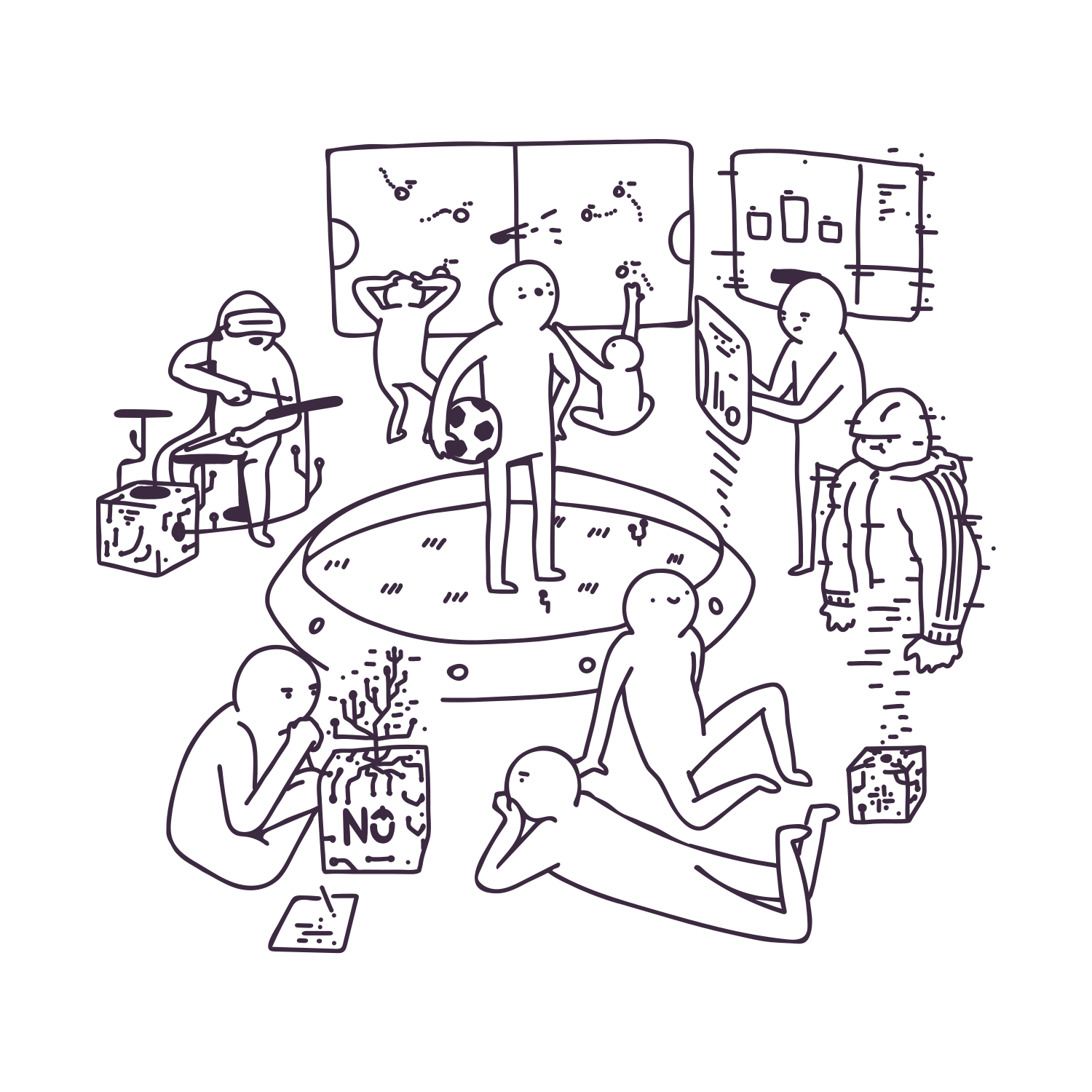
By the way, here you have a trial of "other ways to animate" from our internal TouK Code Jam Party, we held a week ago. Doesn't look mych corporate, does it? 
Komentarze są wyłączone more...

Subtle feature of CONNECT BY

Hierarchical queries (CONNECT BY … START WITH …) are used when retrieving data from tree-like structures. You use them if for example you want to retrieve all people who are directly or indirectly below a certain person in a company hierarchy. However, if you use joins and add some other conditions in the WHERE clause then the effect of the query is not obvious.
(continue reading…)


Accessing Microsoft SQL Server from Oracle

Once we had a need of accessing a table on an Microsoft SQL Server database from an Oracle database. Thus we had to install Oracle Transparent Server on the computer hosting SQL Server. Oracle Transparent Services is a kind of adapter for non-Oracle servers and allows access to it through database link. During the instalation of Oracle Transparent Server you have to choose modules dedicated to particular databases. The modules can translate calls to some functions and allows to call a T-SQL stored procedure from Oracle.
(continue reading…)


Solving package dependency problem using synonyms

Problem

I take part in supporting an ODS system. One of the biggest problem during deployment of revisions is the dependency between packages. Suppose a package A has to be changed and that it is referenced be two packages: B1 and B2 which are used in some database sessions. If the the A package is altered and it contained some global variables then the next execution of the packages B1 or B2 in those sessions triggers “ORA-04061: existing state of package has been invalidated” error. This is because global variables preserve their values during database sessions. Alteration of the package code may change the variables, delete some of them, add others. Therefore, they have to be initialized again. Reseting the global variables during the session could lead to inconsistency. In order to prevent this. Oracle throws the ORA-04061 exception. This mechanism is described in details on the page http://oraclequirks.blogspot.com/2007/03/ora-04061-existing-state-of-package-has.html
(continue reading…)


Complex flows with Apache Camel

At work, we're mainly integrating services and systems, and since we're on a constant lookout for new, better technologies, ways to do things easier, make them more sustainable, we're trying to

Usually we use Apache Camel for this task, which is a Swiss-knife for integration engineer. What's more, this tools corresponds well with our approach to integration solutions:

  • try to operate on XML messages, so you get the advantage of XPaths, XSL and other benefits,
  • don't convert XML into Java classes back and forth and be worried with problems like XML conversion,
  • try to get a simple flow of the process.

However, at first sight Apache Camel seems to have some drawbacks mainly in the area of practical solutions ;-). It's very handy tool if you need to use it as a pipeline with some marginal processing of the data that passes through it. It gets a lot harder to wrap your head around if you consider some branching and intermediate calls to external services. This may be tricky to write properly in Camel's DSL.

Here is a simple pipeline example:

And here the exact scenario we're discussing:

What I'd like to show is the solution to this problem. Well, if you're using a recent version of Camel this may be easier, a little different, but should still more-or-less work this way. This code is written for Apache Camel 1.4 - a rather antic version, but that's what we're forced to use. Oh, well.

Ok, enough whining!

So, I create a test class to illustrate the case. The route defined in TestRouter class is responsible for:

  1. receiving input
  2. setting exchange property to a given xpath, which effectively is the name of the first XML element in the input stream
  3. than, the input data is sent to three different external services, each of them replies with some fictional data - notice routes a, b and c. The SimpleContentSetter processor is just for responding with a given text.
  4. the response from all three services is somehow processed by RequestEnricher bean, which is described below
  5. eventually the exchange is logged in specified category

Here is some code for this:

public class SimpleTest {
    public void setUp() throws Exception {
        TestRouter tr = new TestRouter();
        ctx.addRoutes(tr);
    }

    @Test
    public void shouldCheck() throws Exception {
        ctx.createProducerTemplate().send("direct:in", getInOut("<a/>"));
    }


    class TestRouter extends RouteBuilder {

        public void configure() throws Exception {

            ((ProcessorType<ProcessorType>)from("direct:in")
            .setProperty("operation").xpath("local-name(/*)", String.class)
            .multicast(new MergeAggregationStrategy())
                .to("direct:a", "direct:b", "direct:c")
            .end()
            .setBody().simple("${in.body}"))
            .bean(RequestEnricher.class, "enrich")
            .to("log:pl.touk.debug");
            
            from("direct:a").process(new SimpleContentSetter("<aaaa/>"));
            from("direct:b").process(new SimpleContentSetter("<bbbb param1=\"1\" param2=\"2\" param3=\"3\"/>"));
            from("direct:c").process(new SimpleContentSetter("<cccc/>"));
        }
    }
}

What's unusual in this code is the fact, that what normally Camel does when you write a piece of DSL like:

        .to("direct:a", "direct:b", "direct:c")

is pass input to service a, than a's output gets passed to b, becomes it's input, than b's output becomes c's input. The problem being, you loose the output from a and b, not mentioning that you might want to send the same input to all three services.

That's where a little tool called multicast() comes in handy. It offers you the ability to aggregate the outputs of those services. You may even create an AggregationStrategy that will do it the way you like. Below class, MergeAggregationStrategy does exactly that kind of work - it joins outputs from all three services. A lot of info about proper use of AggregationStrategy-ies can be found in this post by Torsten Mielke.

public class MergeAggregationStrategy implements AggregationStrategy {

        public Exchange aggregate(Exchange oldExchange, Exchange newExchange) {
                if (oldExchange.isFailed()) {
                        return oldExchange;
                }
                transformMessage(oldExchange.getIn(), newExchange.getIn());
                transformMessage(oldExchange.getOut(), newExchange.getOut());
                return newExchange;
        }
        
        private void transformMessage(Message oldM, Message newM) {
                String oldBody = oldM.getBody(String.class);
                String newBody = newM.getBody(String.class);
                newM.setBody(oldBody + newBody);
        }
        
}

However nice this may look (or not), what you're left with is a mix of multiple XMLs. Normally this won't do you much good. Better thing to do is to parse this output in some way. What we're using for this is a Groovy :). Which is great for the task of parsing XML. A lot less verbose than ordinary Java.

Let's assume a scenario, that the aggregated output, currently looking like this:


is to be processed with the following steps in mind:

  • use <aaaa/> as the result element
  • use attributes param1, param2, param3 from element <bbbb/> and add it to result element <aaaa/>
public class RequestEnricher {
        
        public String enrich(@Property(name = "operation") String operation, Exchange ex) {
                
                use(DOMCategory) {
                        def dhl = new groovy.xml.Namespace("http://example.com/common/dhl/schema", 'dhl')
                        def pc = new groovy.xml.Namespace("http://example.com/pc/types", 'pc')
                        def doc = new XmlParser().parseText(ex.in.body)
                        
                        def pcRequest   = doc."aaaa"[0]
                        
                        ["param1", "param2", "param3"].each() {
                                def node = doc.'**'[("" + it)][0]
                                if (node)
                                        pcRequest['@' + it] = node.text()
                        }
                        
                        gNodeListToString([pcRequest])
                }
                
        }
        
        String gNodeListToString(list) {
                StringBuilder sb = new StringBuilder();
                list.each { listItem ->
                        StringWriter sw = new StringWriter();
                        new XmlNodePrinter(new PrintWriter(sw)).print(listItem)
                        sb.append(sw.toString());
                }
                return sb.toString();
        }
        
}

What we're doing here, especially the last line of enrich method is the conversion to String. There are some problems for Camel if we spit out Groovy objects. The rest is just some Groovy specific ways of manipulating XML. But looking into enrich method's parameters, there is @Property annotation used, which binds the property assigned earlier in a router code to one of the arguments. That is really cool feature and there are more such annotations:

  • @XPath
  • @Header
  • @Headers and @Properties - gives whole maps of properties or headers

This pretty much concludes the subject :) Have fun, and if in doubt, leave a comment with your question!

Komentarze są wyłączone more...

Playing with maven release plugin

Using maven release plugin can save you a lot of time, especially if you still manually mange your project versioning. But sometimes it can be pain in the “back”. Simple scenario that occurred at least few times in some of my maven projects:

  1. Project contains at least two separate modules (A & B)
  2. One of this modules (A) is dependant on the other module (B)
  3. While trying to prepare a release (release:prepare) you get missing artefact error which points at second module (B)

“Brute force” solution is launching clean install process just after getting missing artefact error and after that resume release prepare process (release:prepare). But since maven release plugin main purpose was cutting down unnecessary manual work like this – solution should be little bit subtle. For example you can change a little bit plugin configuration:

<plugin>
    <groupId>org.apache.maven.plugins</groupId>
    <artifactId>maven-release-plugin</artifactId>
    <version>2.0</version>
    <configuration>
        <preparationGoals>clean install</preparationGoals>
    </configuration>
</plugin>
 

Lot of other helpful configuration properties exists, be sure to check http://maven.apache.org/plugins/maven-release-plugin/prepare-mojo.html


Glimpse on Tomcat performance tuning.

Production environment ;-)

Have You ever wondered about Tomcat configuration in production environment, or just let “this things” to the admins, or even worse, don’t care at all about it? If the answer is “Tomcat configuration ? I/We/Our client just installs tomcat and deploy our application. Why border about any additional configuration ?” You should read this post.

(continue reading…)


Meetbsd 2010

Some time ago, I've attended MeetBSD conference in Kraków. This BSD event is held yearly in either Warsaw, or Kraków. Due to relatively small group of people that registered there was only one track, which had both good and bad sides - you didn't have to choose from myriads of lectures, but there was no way to skip boring ones either. Well, I guess this kind of niche conference - about operating system :) - will not attract bigger attention.

DAY 1

It took place on 2nd-3rd of July, 2010, so this review is rather dated :) However, I'd like to keep this as reminder. I've arrived to the conference site, which was located in building of the Faculty of Mathematics and Computer Science a few minutes after the official start of the conference. I had been traveling from Warsaw the same day, and the only train that would not require me to get up at some night hour would arrive a bit too late. Oh well :)

I grabbed a tea and some biscuits and entered the series of lectures.

The first thing to listen to was a Welcome intro - quite nice one. Conducted by a guy from Cisco (AFAIK). He was talking about the opportunities for Kraków and how it will become a Polish Silicon Valley in near future, etc. Actually I don't share his believes but the talk was ok.

Then came Dru Lavigne with some insight into BSD Certification program. Actually, does anybody use this? Come one. Do we really need another certification process? I for sure don't see the need, especially for the BSD community. However the trend is good, may help popularize BSDs among enterprise leaders, because if something is certified, than it can be used in big enterprises, right? :)

Sławek Żak talked about NoSQL. Although the talk gave a bit of info about what the idea is and how does it compare to normal DBs, I did not find his presentation entertaining. In my opinion, there was not enough emphasis on the difference in usage for such databases. The talk about NoSQL I'd attended on Javarsovia was a lot better.

Next talk, presented by Attilio Rao was very, very technical. It was about "VFS/Vnode interface in FreeBSD". It was rather an API presentation, and introduction on how to implement an FS in FreeBSD infrastructure, than a conference talk. This kind of presentation would be good suited for FreeBSD kernel developers not sysadmins.

Jakub Klama's talk on the process of porting FreeBSD to Da Vinci embedded system was interesting. It had some photos of the board, tackled a few technical corners, but caught my attention. Well done!

Out guy among FreeBSD hackers - Paweł Jakub Dawidek - gave speech about HAST - High Availability STorage. In other words he implemented DRBD for FreeBSD. Sadly, for me this is just catching up with what Linux has in mainline since 2.6.33 (it was working very well even before that). It's not so feature rich as DRBD, but the project is slowly maturing. Nevertheless, it's good to finally have this on board.

Then an inconspicuous guy come onto the stage. Came from Bulgaria, named Nikolay Aleksandrov, that guy gave a talk titled Developing high speed FreeBSD. And the subject was astounding. He works for a major Bulgarian ISP and due to lack of cash to buy some serious networking gear, he wrote a FreeBSD extension that would sit in-between network adapter and the kernel and do all the hard work like routing, VLANs, and more. His goal was to make it lighting fast, and as far as his results showed, he succeeded. This talk was really amazing, he did what would normally take hundreds of thousands of dollars - in cash and skills - in his free time, or at least as a pet project.

DAY 2

Well, I'd skipped the first lecture of the day, because of laziness ;)

Had decide to pack myself and arrive to listen about what can freebsd borrow from AIX. Jan Srzednicki talked about some nice tools from the AIX world. He proposed that adding an educational, console-based tool for conducting basic (and even not so basic) tasks, would encourage people to learn the system. I think it would work. However the rest of his ideas weren't good enough - at least not for me.

Next thing in line was The new USB stack. Interesting talk about new USB stack development, conducted by Hans Petter Selasky. This guy was really passionate about USB things ;-)

Martin Matuska presented his set of shell scripts that allow to create mfsBSD - an in-memory FreeBSD install. Since I'm already doing this kind of things with OpenBSD, the talk was entertaining.

Marcko Zec and Network stack virtualization. This was about extending FreeBSD to be able to create lots of compartmentalized environments with their own network stacks. As noted in the presentation: the solution still has problems with graceful shutdown of the stack. Still not stable enough - but very promising.

The closing presentation, given by Warner Losh (very knowledgeable guy behing bsdimp.blogspot.com) on the subject Using FreeBSD in a commercial settings. The talk was not what I've expected, but nevertheless was very interesting. It was about branching and merging back changes in case of using FreeBSD as a base for some commercial products. This could be easily applied to any other Open Source project. Warner described possible strategies for branching and performing merges, he noted also pros and cons of all the described solutions.

All in all, that was a fun time. Even thou I don't use any BSD as my primary system at this time, and my BSD skills are a bit rusty, the talks were nice enough :) for a hobbist like me.

Komentarze są wyłączone more...

How to change theme in Ext-Gwt (GXT) application

New Slate theme in GXT

New Slate theme in GXT

Some time ago Sencha company included new theme in their GXT library. It’s called SLATE and can be viewed in GXT Explorer demo on this site: http://www.sencha.com/examples/explorer.html. I’ve been searching, but I coudn’t find any clear information in web, how to made my gwt app to change theme to new skin instead of standard BLUE or GREY themes. After short investigating I realized, that everything is easy, but only if You keep standard paths in Your app to css/images. (continue reading…)


About Us

We create information and telecommunication technologies for large and medium-sized enterprises. They are based on recognized, primarily open standards and technologies, which are to guarantee our customers the highest quality and stability of information systems development. At the same time building our competencies, we are trying to shape such standards and support the development of open technologies.
Copyright © 2002-2010 TouK sp. z o.o. s.k.a.
iDream theme by Templates Next | Powered by WordPress