
The experience of developing “Quak” during a hackathon.

In March 2019 we held a 2-day hackathon named “Ship IT!” in TouK. I was part of the team developing “Quak” – a 2D Liero/Soldat inspired game where players can immerse themselves into being a cute blob-like character while simultaneously laying waste to their opponent.

In this post I want to share our experience writing and designing the game, what kind of roles team members assumed and some of the technical choices we made.
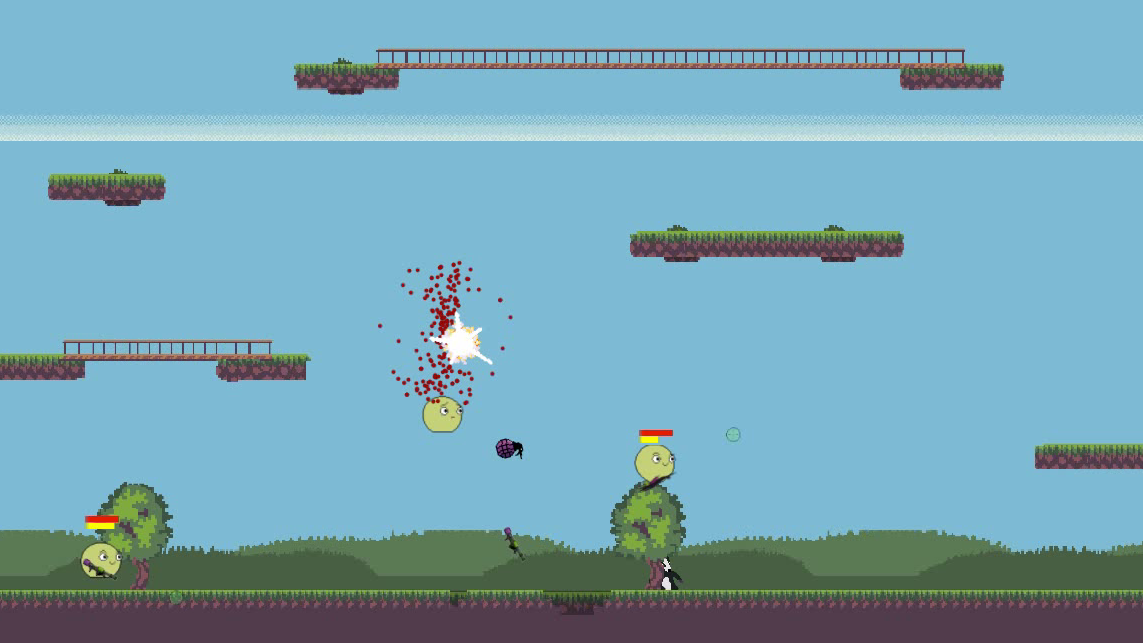
Development

Working for a company that swims in JVM technologies – naturally we chose Kotlin as our development language. Our leader Rafał Golcz created a simple game engine in the ECS Model using the standard java game development library – libgdx and box2d for physics.

ECS stands for Entity Component System, and its main advantage over a standard object hierarchy (as games tend to be strongly object-oriented programs in principle) is its behavioural nature.

Instead of drowning in large inheritance trees and having potential “problems” with instantiation or making sure what kind of object goes where – we receive an elegant solution where the behaviour of every game object can be defined as a list of scripts that are attached to it. From design perspective it also allows for a more natural approach to creating specific objects (as in what properties an object has like dealing damage on impact, destruction on collision, bleeding).
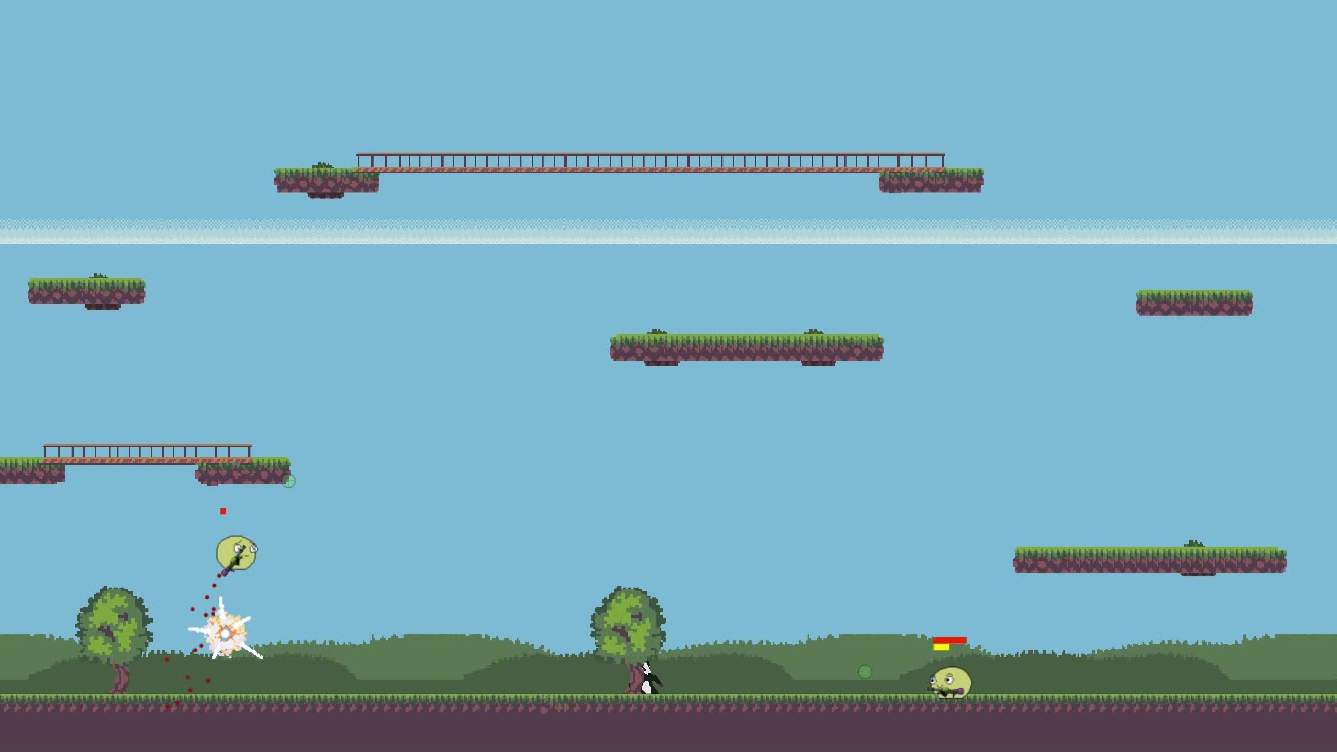
Team Roles

Large gamedev companies (Blizzard, CD Project Red, Bethesda – to name a few) usually have strict roles for people working on their projects. Game directors, designers, writers, composers, testers, programmers, marketing teams, managers – all of which (except maybe for directors/managers) tend to be split between junior, senior and leads.

Developers are also often split according to their main responsibility: engine/tools development, gameplay programmers, special effect programmers. However, in smaller teams responsibilities tend to be way more relaxed. What I find really interesting is the natural emergence of similar structures during these 2 days of developing Quak.
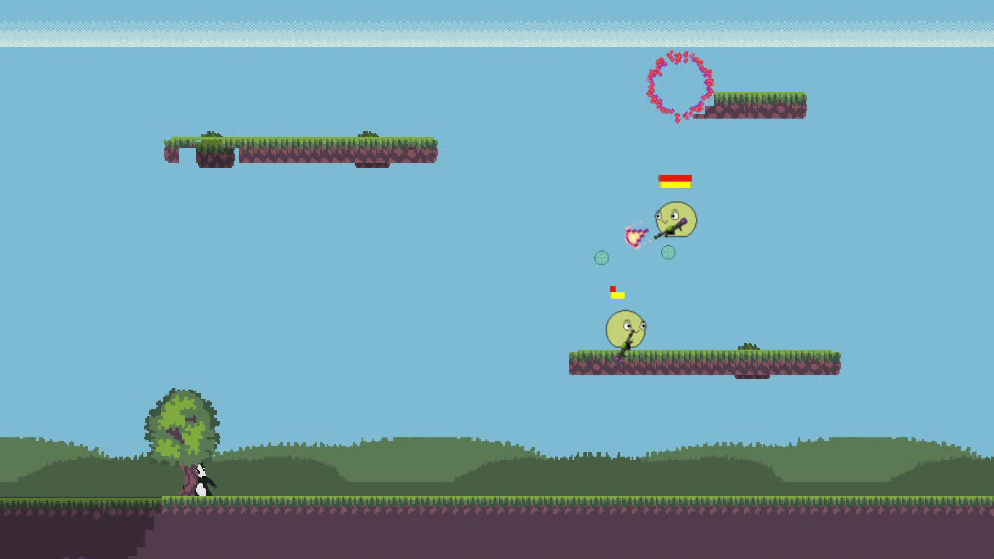
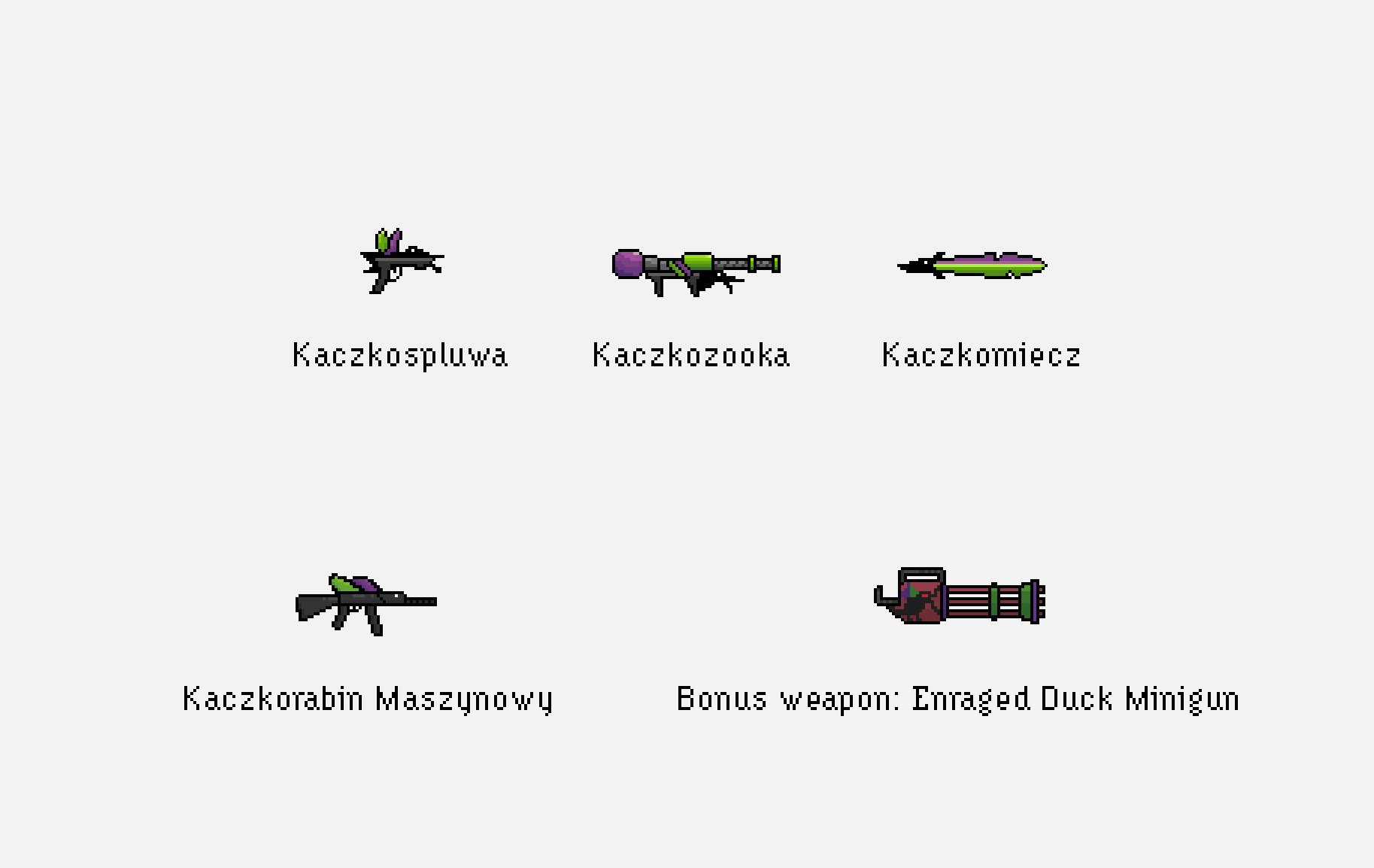
We had a person responsible for art, another person for music and sound effects, 5 people who were actively developing various features for the game (controllers aka joystick and keyboard integration, weapons and missiles/bullets, collisions, character movement/controls, map loading, destructible terrain, blood splatter and camera shake effects).

At some point someone took the mantle of mapper and started creating the terrain you can see in the various screenshots in this article and a few others. What did wonders, in my opinion, was when one person became some sort of a Game Director and Designer’s hybrid. By making sure that everyone had a similar grasp of the direction the game was taking this person made sure that contradicting ideas and implementations didn’t emerge. I was this person.

Experience Itself

New features were “flowing in” as our leader noticed. Everything seemed to work seamlessly, every time someone wanted to push their changes to the repository they were met with the necessity of git pulling the changes which often introduced multiple new features. All of this added up made for a great passionate atmosphere, full of fast development and motivation. At some point we had outsourced testers from other projects to playtest early versions of the game as the sound of quacking echoed through the vast open-space of TouK.
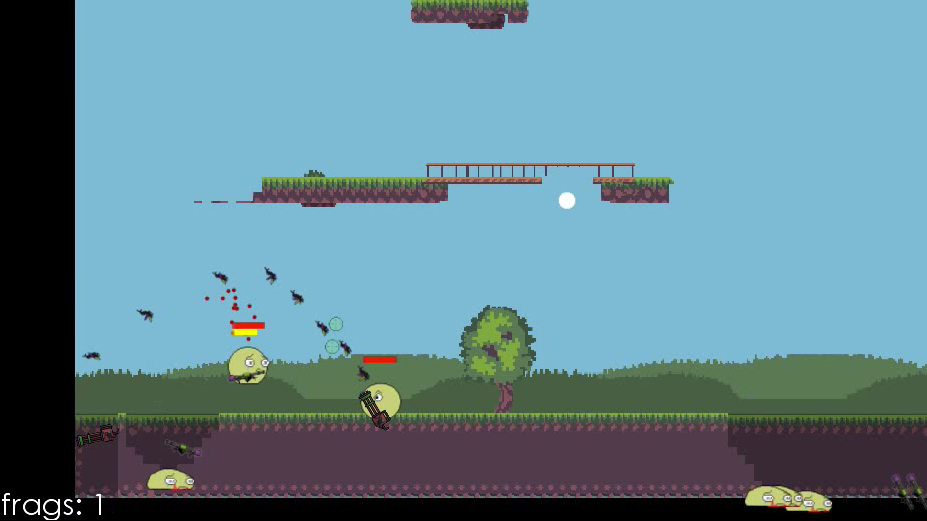
Conclusions

During the project showcase Quak has been met with laughter and smirky remarks – great signs. We concluded that the game was a success – we delivered more than we thought we were capable of before the actual hackathon.

Making sure that the game is “juicy” (in gamedev slang – a game is juicy if love and care has been put into small details/finishing touches) at a relatively early stage with camera shake, visual effects like explosions or blood, sounds of duck quacking (as our bullets are all some kind of variation of TouK’s “duck” mascot) all made the game much more interesting to playtest and to develop – boosting the morale and work efficiency of the team.

Having little stand-ups every few hours to quickly discuss who is responsible for what and in which direction the game is going (what features to cut, which to implement, maybe some new ones?) as well as the aforementioned game director all made sure every member of the team knew what to do and in my opinion was the reason we managed to successfully finish the game. Quak has since then appeared at our stand during Scalar conference and was met with positive feedback.
It was an awesome experience but it wouldn’t be possible without a great team. Kudos to the entire Quak squad: Rafał Golcz, Robert Piwowarek, Agata Kłoss, Mateusz Mazur, Hubert Lipiński and Filip Majewski.

You May Also Like

Scrum w Polsce – TouK

Nasi koledzy z Fluidcircle opublikowali właśnie studium przypadku opisujące doświadczenia TouK z wykorzystania metodyki Scrum. Wszystko w ramach programu “Scrum…

How to automate tests with Groovy 2.0, Spock and Gradle

This is the launch of the 1st blog in my life, so cheers and have a nice reading!

y u no test?

Couple of years ago I wasn't a big fan of unit testing. It was obvious to me that well prepared unit tests are crucial though. I didn't known why exactly crucial yet then. I just felt they are important. My disliking to write automation tests was mostly related to the effort necessary to prepare them. Also a spaghetti code was easily spotted in test sources.

Some goodies at hand

Now I know! Test are crucial to get a better design and a confidence. Confidence to improve without a hesitation. Moreover, now I have the tool to make test automation easy as Sunday morning... I'm talking about the Spock Framework. If you got here probably already know what the Spock is, so I won't introduce it. Enough to say that Spock is an awesome unit testing tool which, thanks to Groovy AST Transformation, simplifies creation of tests greatly.

An obstacle

The point is, since a new major version of Groovy has been released (2.0), there is no matching version of Spock available yet.

What now?

Well, in a matter of fact there is such a version. It's still under development though. It can be obtained from this Maven repository. We can of course use the Maven to build a project and run tests. But why not to go even more "groovy" way? XML is not for humans, is it? Lets use Gradle.

The build file

Update: at the end of the post is updated version of the build file.
apply plugin: 'groovy'
apply plugin: 'idea'

def langLevel = 1.7

sourceCompatibility = langLevel
targetCompatibility = langLevel

group = 'com.tamashumi.example.testwithspock'
version = '0.1'

repositories {
mavenLocal()
mavenCentral()
maven { url 'http://oss.sonatype.org/content/repositories/snapshots/' }
}

dependencies {
groovy 'org.codehaus.groovy:groovy-all:2.0.1'
testCompile 'org.spockframework:spock-core:0.7-groovy-2.0-SNAPSHOT'
}

idea {
project {
jdkName = langLevel
languageLevel = langLevel
}
}
As you can see the build.gradle file is almost self-explanatory. Groovy plugin is applied to compile groovy code. It needs groovy-all.jar - declared in version 2.0 at dependencies block just next to Spock in version 0.7. What's most important, mentioned Maven repository URL is added at repositories block.

Project structure and execution

Gradle's default project directory structure is similar to Maven's one. Unfortunately there is no 'create project' task and you have to create it by hand. It's not a big obstacle though. The structure you will create will more or less look as follows:
<project root>

├── build.gradle
└── src
├── main
│ ├── groovy
└── test
└── groovy
To build a project now you can type command gradle build or gradle test to only run tests.

How about Java?

You can test native Java code with Spock. Just add src/main/java directory and a following line to the build.gradle:
apply plugin: 'java'
This way if you don't want or just can't deploy Groovy compiled stuff into your production JVM for any reason, still whole goodness of testing with Spock and Groovy is at your hand.

A silly-simple example

Just to show that it works, here you go with a basic example.

Java simple example class:

public class SimpleJavaClass {

public int sumAll(int... args) {

int sum = 0;

for (int arg : args){
sum += arg;
}

return sum;
}
}

Groovy simple example class:

class SimpleGroovyClass {

String concatenateAll(char separator, String... args) {

args.join(separator as String)
}
}

The test, uhm... I mean the Specification:

class JustASpecification extends Specification {

@Unroll('Sums integers #integers into: #expectedResult')
def "Can sum different amount of integers"() {

given:
def instance = new SimpleJavaClass()

when:
def result = instance.sumAll(* integers)

then:
result == expectedResult

where:
expectedResult | integers
11 | [3, 3, 5]
8 | [3, 5]
254 | [2, 4, 8, 16, 32, 64, 128]
22 | [7, 5, 6, 2, 2]
}

@Unroll('Concatenates strings #strings with separator "#separator" into: #expectedResult')
def "Can concatenate different amount of integers with a specified separator"() {

given:
def instance = new SimpleGroovyClass()

when:
def result = instance.concatenateAll(separator, * strings)

then:
result == expectedResult

where:
expectedResult | separator | strings
'Whasup dude?' | ' ' as char | ['Whasup', 'dude?']
'2012/09/15' | '/' as char | ['2012', '09', '15']
'nice-to-meet-you' | '-' as char | ['nice', 'to', 'meet', 'you']
}
}
To run tests with Gradle simply execute command gradle test. Test reports can be found at <project root>/build/reports/tests/index.html and look kind a like this.


Please note that, thanks to @Unroll annotation, test is executed once per each parameters row in the 'table' at specification's where: block. This isn't a Java label, but a AST transformation magic.

IDE integration

Gradle's plugin for Iintellij Idea

I've added also Intellij Idea plugin for IDE project generation and some configuration for it (IDE's JDK name). To generate Idea's project files just run command: gradle idea There are available Eclipse and Netbeans plugins too, however I haven't tested them. Idea's one works well.

Intellij Idea's plugins for Gradle

Idea itself has a light Gradle support built-in on its own. To not get confused: Gradle has plugin for Idea and Idea has plugin for Gradle. To get even more 'pluginated', there is also JetGradle plugin within Idea. However I haven't found good reason for it's existence - well, maybe excluding one. It shows dependency tree. There is a bug though - JetGradle work's fine only for lang level 1.6. Strangely all the plugins together do not conflict each other. They even give complementary, quite useful tool set.

Running tests under IDE

Jest to add something sweet this is how Specification looks when run with jUnit  runner under Intellij Idea (right mouse button on JustASpecification class or whole folder of specification extending classes and select "Run ...". You'll see a nice view like this.

Building web application

If you need to build Java web application and bundle it as war archive just add plugin by typing the line
apply plugin: 'war'
in the build.gradle file and create a directory src/main/webapp.

Want to know more?

If you haven't heard about Spock or Gradle before or just curious, check the following links:

What next?

The last thing left is to write the real production code you are about to test. No matter will it be Groovy or Java, I leave this to your need and invention. Of course, you are welcome to post a comments here. I'll answer or even write some more posts about the subject.

Important update

Spock version 0.7 has been released, so the above build file doesn't work anymore. It's easy to fix it though. Just remove last dash and a word SNAPSHOT from Spock dependency declaration. Other important thing is that now spock-core depends on groovy-all-2.0.5, so to avoid dependency conflict groovy dependency should be changed from version 2.0.1 to 2.0.5.
Besides oss.sonata.org snapshots maven repository can be removed. No obstacles any more and the build file now looks as follows:
apply plugin: 'groovy'
apply plugin: 'idea'

def langLevel = 1.7

sourceCompatibility = langLevel
targetCompatibility = langLevel

group = 'com.tamashumi.example.testwithspock'
version = '0.1'

repositories {
mavenLocal()
mavenCentral()
}

dependencies {
groovy 'org.codehaus.groovy:groovy-all:2.0.5'
testCompile 'org.spockframework:spock-core:0.7-groovy-2.0'
}

idea {
project {
jdkName = langLevel
languageLevel = langLevel
}
}