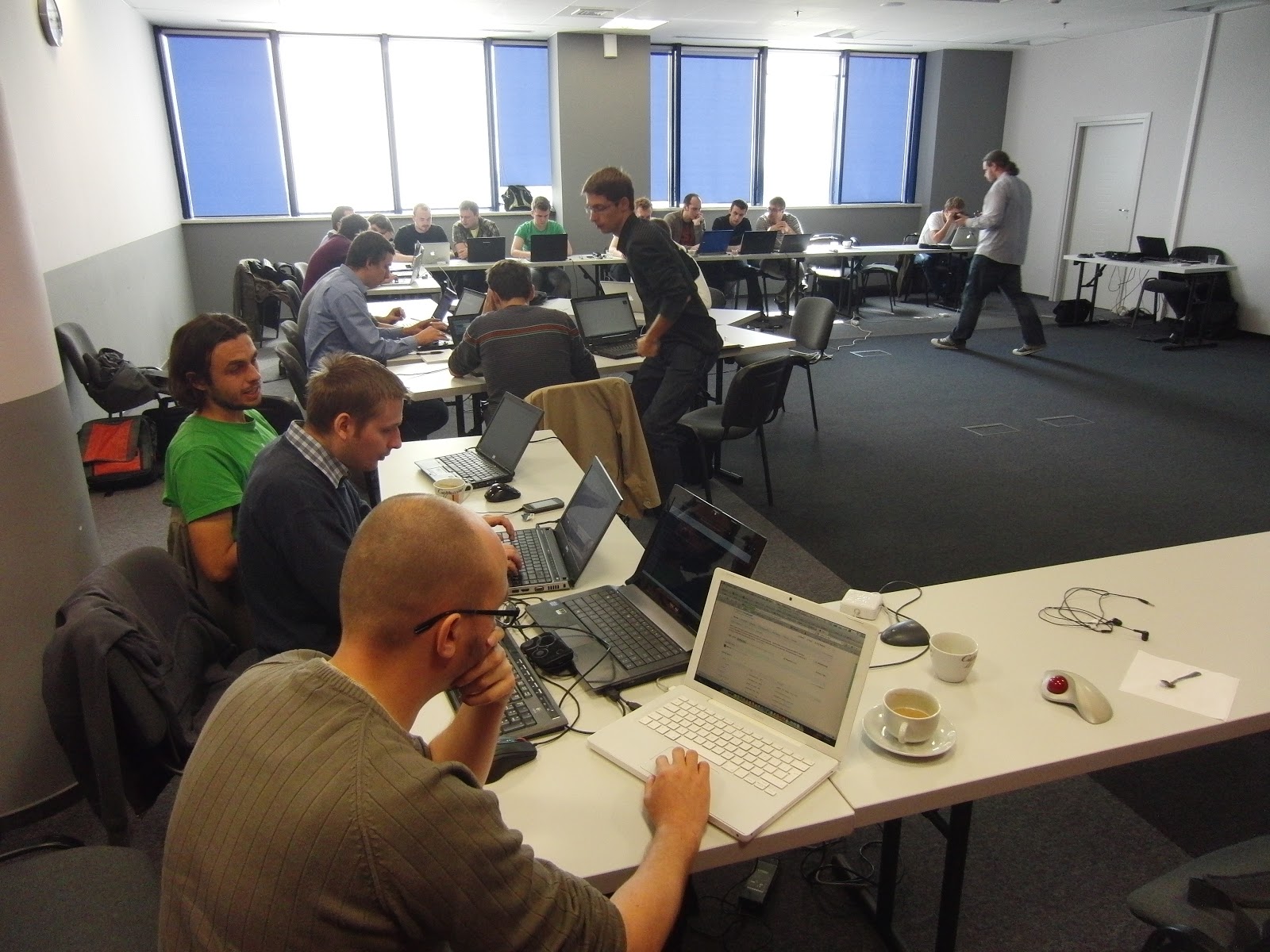
NoSQL devmeeting in Warsaw

I’ve spent this Saturday at NoSQL devmeetingin Warsaw, organized by Adam Lider, Piotr Zwoliński and lead by David de Rosier. At first I was reluctant to go, as my level of js mastery is clearly negative, and I have only theoretical knowledge about NoSQL databases, but as Maciej Próchniak noticed, these are exactly the reasons why I should.

The meeting started at 9am and lasted till 9pm (though I had to leave at 7pm), with one-hour break for lunch. David began with a gentle but fantastic introduction to CouchDB, MongoDB, Cassandra and Redis, after which we were split into groups of 3-4, each taking one of the databases aforementioned. Our task was simple: with four big MySQL (partitioned) dumps on the local SVN, we were to migrate the data to our NoSQL DB and then prepare a simple twitter application in any language we want, preferably javascript using Node.js. Our group took the hard way of playing with Node.js, easing it up with the choice of MongoDB (as it seems to have the best community and thus support). Node.js was more of an obstacle than help, mainly because of it asynchronous nature, but it’s quite possible that we just don’t know how to write good code in it. We definitely didn’t try much, being fine with “hey, it works!”, which is just right for the kind of hacking/prototyping we were into.

We had no problems with MongoDB. With Barack Obama’s 9 million followers in mind, we settled on the best model early, choosing eventual consistency and data duplication in the name of simplicity and query performance. Because I had to go two hours early, I’ve missed the part where we were to test the performance and try our luck with replication, but nonetheless this Saturday was clearly awesome. I loved the hackengarded at

33rd Degree, but devmeetings are even more fabulous. The formula is superb. If I were to add anything, it would be an open review of each application at the end. I’m really curious how other teams did it. Checkout devmeetings web page and if you have a chance to visit one, definitely go for it. It’s great, it’s free, and it’s one of the best ways to learn something useful fast.

You May Also Like

After WHUG meeting

Here are the slides from the talk a gave yesterday. If you have any questions, please ask. Here are the slides from the talk a gave yesterday. If you have any questions, please ask.

CasperJS for Java developers

Why CasperJS

Being a Java developer is kinda hard these days. Java may not be dead yet, but when keeping in sync with all the hipster JavaScript frameworks could make us feel a bit outside the playground. It’s even hard to list JavaScript frameworks with latest releases on one website.

In my current project, we are using AngularJS. It’a a nice abstraction of MV* pattern in frontend layer of any web application (we use Grails underneath). Here is a nice article with an 8-point Win List of Angular way of handling AJAX calls and updating the view. So it’s not only a funny new framework but a truly helper of keeping your code clean and neat.

But there is also another area when you can put helpful JS framework in place of plan-old-java one - functional tests. Especially when you are dealing with one page app with lots of asynchronous REST/JSON communication.

Selenium and Geb

In Java/JVM project the typical is to use Selenium with some wrapper like Geb. So you start your project, setup your CI-functional testing pipeline and… after 1 month of coding your tests stop working and being maintainable. The frameworks itselves are not bad, but the typical setup is so heavy and has so many points of failure that keeping it working in a real life project is really hard.

Here is my list of common myths about Selenium: * It allows you to record test scripts via handy GUI - maybe some static request/response sites. In modern web applications with asynchronous REST/JSON communication your tests must contain a lot of “waitFor” statements and you cannot automate where these should be included. * It allows you to test your web app against many browsers - don’t try to automate IE tests! You have to manually open your app in IE to see how it actually bahaves! * It integrates well with continuous integration servers like Jenkins - you have to setup Selenium Grid on server with X installed to run tests on Chrome or Firefox and a Windows server for IE. And the headless HtmlUnit driver lacks a lot of JS support.

So I decided to try something different and introduce a bit of JavaScript tooling in our project by using CasperJS.

Introduction

CasperJS is simple but powerful navigation scripting & testing utility for PhantomJS - scritable headless WebKit (which is an rendering engine used by Safari and Chrome). In short - CasperJS allows you to navigate and make assertions about web pages as they’d been rendered in Google Chrome. It is enough for me to automate the functional tests of my application.

If you want a gentle introduction to the world of CasperJS I suggest you to read: * Official website, especially installation guide and API * Introductionary article from CasperJS creator Nicolas Perriault * Highlevel testing with CasperJS by Kevin van Zonneveld * grails-angular-scaffolding plugin by Rob Fletcher with some working CasperJS tests

Full example

I run my test suite via following script:

casperjs test --direct --log-level=debug --testhost=localhost:8080 --includes=test/casper/includes/casper-angular.coffee,test/casper/includes/pages.coffee test/casper/specs/

casper-angular.coffe

casper.test.on "fail", (failure) ->
    casper.capture(screenshot)

testhost   = casper.cli.get "testhost"
screenshot = 'test-fail.png'

casper
    .log("Using testhost: #{testhost}", "info")
    .log("Using screenshot: #{screenshot}", "info")

casper.waitUntilVisible = (selector, message, callback) ->
    @waitFor ->
        @visible selector
    , callback, (timeout) ->
        @log("Selector [#{selector}] not visible, failing")
        withParentSelector selector, (parent) ->
            casper.log("Output of parent selector [#{parent}]")
            casper.debugHTML(parent)
        @echo message, "RED_BAR"
        @capture(screenshot)
        @test.fail(f("Wait timeout occured (%dms)", timeout))

withParentSelector = (selector, callback) ->
    if selector.lastIndexOf(" ") > 0
       parent = selector[0..selector.lastIndexOf(" ")-1]
       callback(parent)

Sample pages.coffee:

x = require('casper').selectXPath

class EditDocumentPage

    assertAt: ->
        casper.test.assertSelectorExists("div.customerAccountInfo", 'at EditDocumentPage')

    templatesTreeFirstCategory: 'ul.tree li label'
    templatesTreeFirstTemplate: 'ul.tree li a'
    closePreview: '.closePreview a'
    smallPreview: '.smallPreviewContent img'
    bigPreview: 'img.previewImage'
    confirmDelete: x("//div[@class='modal-footer']/a[1]")

casper.editDocument = new EditDocumentPage()

End a test script:

testhost = casper.cli.get "testhost" or 'localhost:8080'

casper.start "http://#{testhost}/app", ->
    @test.assertHttpStatus 302
    @test.assertUrlMatch /\/fakeLogin/, 'auto login'
    @test.assert @visible('input#Create'), 'mock login button'
    @click 'input#Create'

casper.then ->
    @test.assertUrlMatch /document#\/edit/, 'new document'
    @editDocument.assertAt()
    @waitUntilVisible @editDocument.templatesTreeFirstCategory, 'template categories not visible', ->
        @click @editDocument.templatesTreeFirstCategory
        @waitUntilVisible @editDocument.templatesTreeFirstTemplate, 'template not visible', ->
            @click @editDocument.templatesTreeFirstTemplate

casper.then ->
    @waitUntilVisible @editDocument.smallPreview, 'small preview not visible', ->
        # could be dblclick / whatever
        @mouseEvent('click', @editDocument.smallPreview)

casper.then ->
    @waitUntilVisible @editDocument.bigPreview, 'big preview should be visible', ->
        @test.assertEvalEquals ->
            $('.pageCounter').text()
        , '1/1', 'page counter should be visible'
        @click @editDocument.closePreview

casper.then ->
    @click 'button.cancel'
    @waitUntilVisible '.modal-footer', 'delete confirmation not visible', ->
        @click @editDocument.confirmDelete

casper.run ->
    @test.done()

Here is a list of CasperJS features/caveats used here:

  • Using CoffeeScript is a huge win for your test code to look neat
  • When using casper test command, beware of different (than above articles) logging setup. You can pass --direct --log-level=debug from commandline for best results. Logging is essential here since Phantom often exists without any error and you do want to know what just happened.
  • Extract your helper code into separate files and include them by using --includes switch.
  • When passing server URL as a commandline switch remember that in CoffeeScript variables are not visible between multiple source files (unless getting them via window object)
  • It’s good to override standard waitUntilVisible with capting a screenshot and making a proper log statement. In my version I also look for a parent selector and debugHTML the content of it - great for debugging what is actually rendered by the browser.
  • Selenium and Geb have a nice concept of Page Objects - an abstract models of pages rendered by your application. Using CoffeeScript you can write your own classes, bind selectors to properties and use then in your code script. Assigning the objects to casper instance will end up with quite nice syntax like @editDocument.assertAt().
  • There is some issue with CSS :first and :last selectors. I cannot get them working (but maybe I’m doing something wrong?). But in CasperJS you can also use XPath selectors which are fine for matching n-th child of some element (x("//div[@class='modal-footer']/a[1]")).
    Update: :first and :last are not CSS3 selectors, but JQuery ones. Here is a list of CSS3 selectors, all of these are supported by CasperJS. So you can use nth-child(1) is this case. Thanks Andy and Nicolas for the comments!

Working with CasperJS can lead you to a few hour stall, but after getting things working you have a new, cool tool in your box!