Deep dive into Spring Boot Actuator HTTP metrics

Actuator Metrics

As reported in Michał Bobowski post, we heavily use Spring Boot Actuator metrics system based on Micrometer. It provides a set of practical metrics regarding JVM stats like CPU or memory utilization. Our applications have to meet the most sophisticated needs of our clients thus we try to take advantage of http.server.request endpoint.

Introduction

By default, Spring Boot Actuator gathers endpoint statistics for all classes annotated with @RestController. It registers a WebMvcMetricsFilter bean, which is responsible for timing a request. A special TimingContext attribute is attached to the request so that Spring Boot knows when the request started.

Actuator metrics model

When you call http://localhost:8080/actuator/metrics/http.server.request endpoint you will get something similar to this:

{
  "name": "http.server.requests",
  "description": null,
  "baseUnit": "milliseconds",
  "measurements": [
    {
      "statistic": "COUNT",
      "value": 12
    },
    {
      "statistic": "TOTAL_TIME",
      "value": 21487.256644
    },
    {
      "statistic": "MAX",
      "value": 2731.787888
    }
  ],
  "availableTags": [
    {
      "tag": "exception",
      "values": [
        "None",
        "RuntimeException"
      ]
    },
    {
      "tag": "method",
      "values": [
        "GET"
      ]
    },
    {
      "tag": "uri",
      "values": [
        "/example/success"
      ]
    },
    {
      "tag": "outcome",
      "values": [
        "SERVER_ERROR",
        "SUCCESS"
      ]
    },
    {
      "tag": "status",
      "values": [
        "500",
        "200"
      ]
    }
  ]
}

You will surely see the measurements section. It provides types and values of statistics recorded at a certain point in time. Types of statistics are ones described in Statistics enum.
Another one is the availableTags section, which contains a set of default tags distinguishing each metric by URI, status, or method. You can easily put your tags there like a host or container. If you want to check metric for a particular tag, Actuator lets you do this by using tag query http://localhost:8080/actuator/metrics/http.server.request?tag=status:200

Metric system model

However, each monitoring system has its own metrics model and therefore uses different names for the same things. In our case, we use Influx Registry.
Let’s look into InfluxMeterRegistry class implementation.

private Stream writeTimer(Timer timer) {
    final Stream fields = Stream.of(
        new Field("sum", timer.totalTime(getBaseTimeUnit())),
        new Field("count", timer.count()),
        new Field("mean", timer.mean(getBaseTimeUnit())),
        new Field("upper", timer.max(getBaseTimeUnit()))
    );

    return Stream.of(influxLineProtocol(timer.getId(), "histogram", fields));
}

We see which field in influx corresponds to actuators measurement. Moreover, our registry equips us with an additional mean field, which is basically TOTAL_TIME divided by COUNT. Therefore we don’t need to calculate it manually inside our monitoring system.

Summary

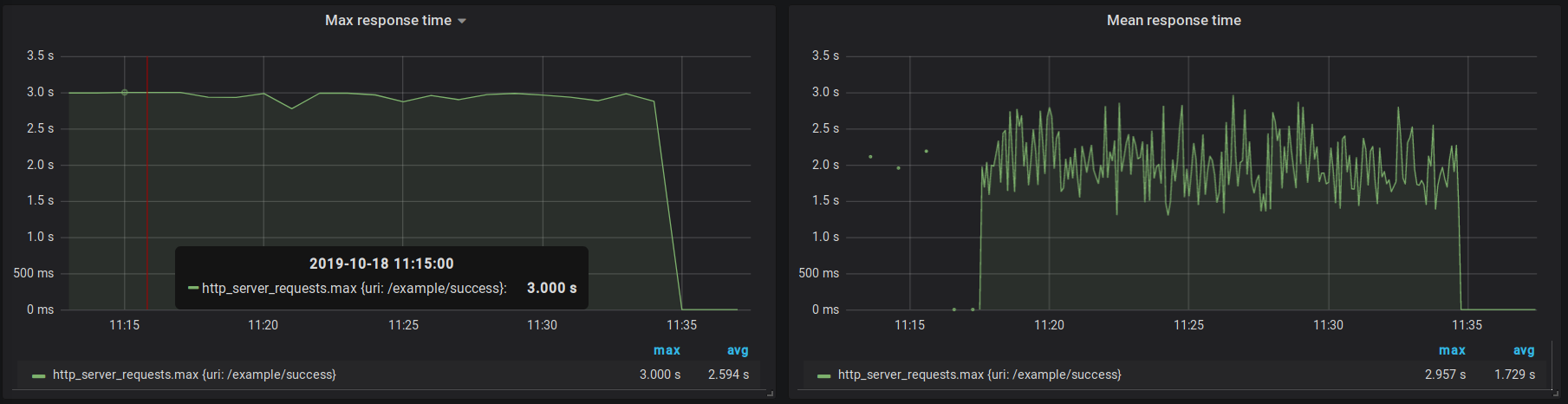
(1) Be aware that the Actuator metric model directly corresponds to Micrometer model
(2) When it comes to timing requests carefully choose the step in which metrics are exported
(3) Do not mix composing metric values with aggregations, selectors, and transformations, e.g. mean(mean)

You May Also Like

TouK na targach pracyTouK at the job fair

Zapraszamy na XI Targi Pracy i Praktyk dla Elektroników i Informatyków. Odwiedź nasze stoisko w dniach 4-5 marca w godz. 9:30-15:30. Politechnika Warszawska Pierwsze piętro budynku Wydziału Elektroniki i Techniki Informacyjnych Nowowiejska 15/19We invite you to 11th Job and Internship Fair for Electronic Engineers and IT Specialists. Come and visit our stand between 4-5 March 9:30 am and 15 :30 pm Warsaw University of Technology the first floor of the Electronics faculty building Nowowiejska 15/19

Cross-platform mobile apps – possible or not?

What is Titanium and how it works. Titanium is an open-source solution for cross-platform, almost-native mobile app development. It has its own MVC, JavaScript and XML-based framework Alloy. Titanium is based on assumption, that each app can be divided into two parts: UI, which is platform-specific part and application core – business logic, common to all […]What is Titanium and how it works. Titanium is an open-source solution for cross-platform, almost-native mobile app development. It has its own MVC, JavaScript and XML-based framework Alloy. Titanium is based on assumption, that each app can be divided into two parts: UI, which is platform-specific part and application core – business logic, common to all […]

Using WsLite in practice

TL;DR

There is a example working GitHub project which covers unit testing and request/response logging when using WsLite.

Why Groovy WsLite ?

I’m a huge fan of Groovy WsLite project for calling SOAP web services. Yes, in a real world you have to deal with those - big companies have huge amount of “legacy” code and are crazy about homogeneous architecture - only SOAP, Java, Oracle, AIX…

But I also never been comfortable with XFire/CXF approach of web service client code generation. I wrote a bit about other posibilites in this post. With JAXB you can also experience some freaky classloading errors - as Tomek described on his blog. In a large commercial project the “the less code the better” principle is significant. And the code generated from XSD could look kinda ugly - especially more complicated structures like sequences, choices, anys etc.

Using WsLite with native Groovy concepts like XmlSlurper could be a great choice. But since it’s a dynamic approach you have to be really careful - write good unit tests and log requests. Below are my few hints for using WsLite in practice.

Unit testing

Suppose you have some invocation of WsLite SOAPClient (original WsLite example):

def getMothersDay(long _year) {
    def response = client.send(SOAPAction: action) {
       body {
           GetMothersDay('xmlns':'http://www.27seconds.com/Holidays/US/Dates/') {
              year(_year)
           }
       }
    }
    response.GetMothersDayResponse.GetMothersDayResult.text()
}

How can the unit test like? My suggestion is to mock SOAPClient and write a simple helper to test that builded XML is correct. Example using great SpockFramework:

void setup() {
   client = Mock(SOAPClient)
   service.client = client
}

def "should pass year to GetMothersDay and return date"() {
  given:
      def year = 2013
  when:
      def date = service.getMothersDay(year)
  then:
      1 * client.send(_, _) >> { Map params, Closure requestBuilder ->
            Document doc = buildAndParseXml(requestBuilder)
            assertXpathEvaluatesTo("$year", '//ns:GetMothersDay/ns:year', doc)
            return mockResponse(Responses.mothersDay)
      }
      date == "2013-05-12T00:00:00"
}

This uses a real cool feature of Spock - even when you mock the invocation with “any mark” (_), you are able to get actual arguments. So we can build XML that would be passed to SOAPClient's send method and check that specific XPaths are correct:

void setup() {
    engine = XMLUnit.newXpathEngine()
    engine.setNamespaceContext(new SimpleNamespaceContext(namespaces()))
}

protected Document buildAndParseXml(Closure xmlBuilder) {
    def writer = new StringWriter()
    def builder = new MarkupBuilder(writer)
    builder.xml(xmlBuilder)
    return XMLUnit.buildControlDocument(writer.toString())
}

protected void assertXpathEvaluatesTo(String expectedValue,
                                      String xpathExpression, Document doc) throws XpathException {
    Assert.assertEquals(expectedValue,
            engine.evaluate(xpathExpression, doc))
}

protected Map namespaces() {
    return [ns: 'http://www.27seconds.com/Holidays/US/Dates/']
}

The XMLUnit library is used just for XpathEngine, but it is much more powerful for comparing XML documents. The NamespaceContext is needed to use correct prefixes (e.g. ns:GetMothersDay) in your Xpath expressions.

Finally - the mock returns SOAPResponse instance filled with envelope parsed from some constant XML:

protected SOAPResponse mockResponse(String resp) {
    def envelope = new XmlSlurper().parseText(resp)
    new SOAPResponse(envelope: envelope)
}

Request and response logging

The WsLite itself doesn’t use any logging framework. We usually handle it by adding own sendWithLogging method:

private SOAPResponse sendWithLogging(String action, Closure cl) {
    SOAPResponse response = client.send(SOAPAction: action, cl)
    log(response?.httpRequest, response?.httpResponse)
    return response
}

private void log(HTTPRequest request, HTTPResponse response) {
    log.debug("HTTPRequest $request with content:\n${request?.contentAsString}")
    log.debug("HTTPResponse $response with content:\n${response?.contentAsString}")
}

This logs the actual request and response send through SOAPClient. But it logs only when invocation is successful and errors are much more interesting… So here goes withExceptionHandler method:

private SOAPResponse withExceptionHandler(Closure cl) {
    try {
        cl.call()
    } catch (SOAPFaultException soapEx) {
        log(soapEx.httpRequest, soapEx.httpResponse)
        def message = soapEx.hasFault() ? soapEx.fault.text() : soapEx.message
        throw new InfrastructureException(message)
    } catch (HTTPClientException httpEx) {
        log(httpEx.request, httpEx.response)
        throw new InfrastructureException(httpEx.message)
    }
}
def send(String action, Closure cl) {
    withExceptionHandler {
        sendWithLogging(action, cl)
    }
}

XmlSlurper gotchas

Working with XML document with XmlSlurper is generally great fun, but is some cases could introduce some problems. A trivial example is parsing an id with a number to Long value:

def id = Long.valueOf(edit.'@id' as String)

The Attribute class (which edit.'@id' evaluates to) can be converted to String using as operator, but converting to Long requires using valueOf.

The second example is a bit more complicated. Consider following XML fragment:

<edit id="3">
   <params>
      <param value="label1" name="label"/>
      <param value="2" name="param2"/>
   </params>
   <value>123</value>
</edit>
<edit id="6">
   <params>
      <param value="label2" name="label"/>
      <param value="2" name="param2"/>
   </params>
   <value>456</value>
</edit>

We want to find id of edit whose label is label1. The simplest solution seems to be:

def param = doc.edit.params.param.find { it['@value'] == 'label1' }
def edit = params.parent().parent()

But it doesn’t work! The parent method returns multiple edits, not only the one that is parent of given param

Here’s the correct solution:

doc.edit.find { edit ->
    edit.params.param.find { it['@value'] == 'label1' }
}

Example

The example working project covering those hints could be found on GitHub.